Inquisit Web: How to Run a Battery of Tests with a Batch Script
If want to include more than one tests in your project, the individual tests can be combined into a test battery controlled by a batch script. When you run the batch script, it runs all the tests in the battery automatically, one after the other. Batch scripts can be run in Inquisit Lab and Web.
This tutorial explains how to create a batch of tests with Inquisit Web
importing Inquisit scripts directly from the Millisecond task library.
The goal:
- run a batch of 2 tests: the Balloon Analogue Risk Task (BART) and the Stop Signal Task.
- counterbalance the order of the two tests
Create your Inquisit project online in your Millisecond account
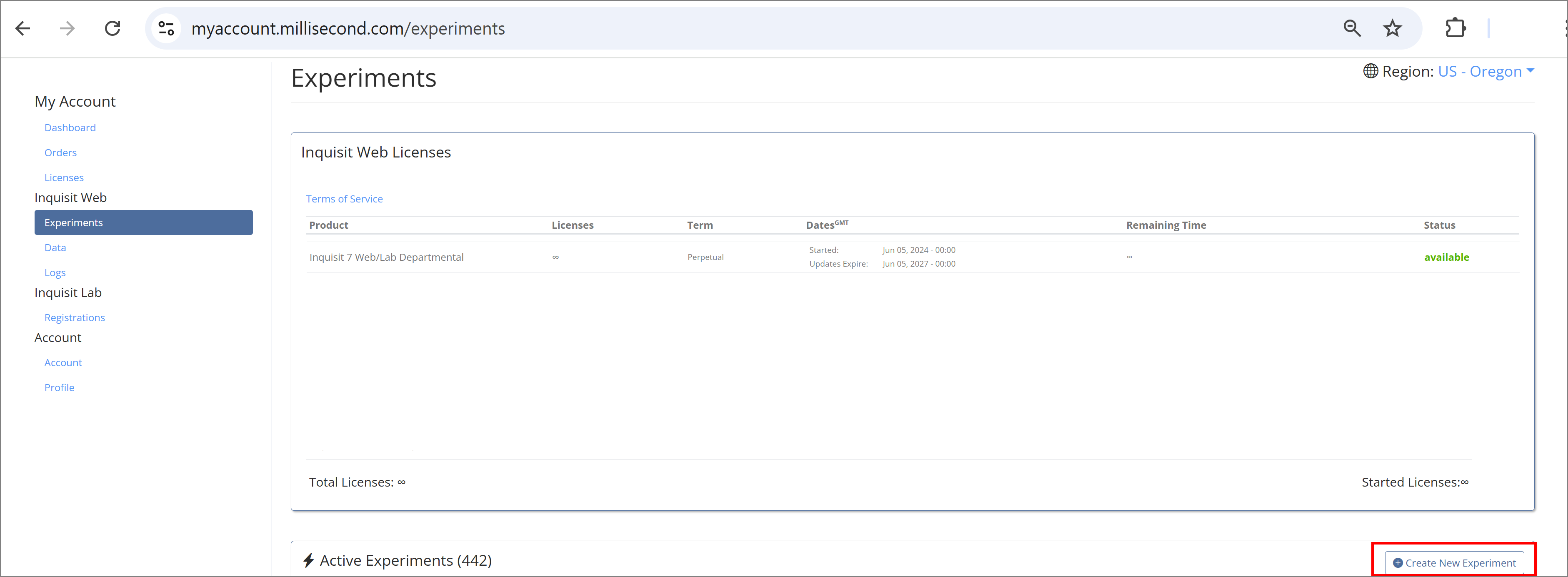
Click the 'Create New Experiment' button
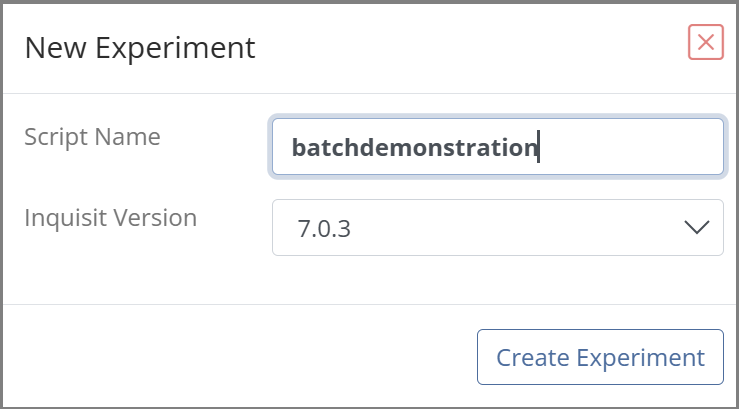
Enter a name for your experiment and select which version of Inquisit to use.
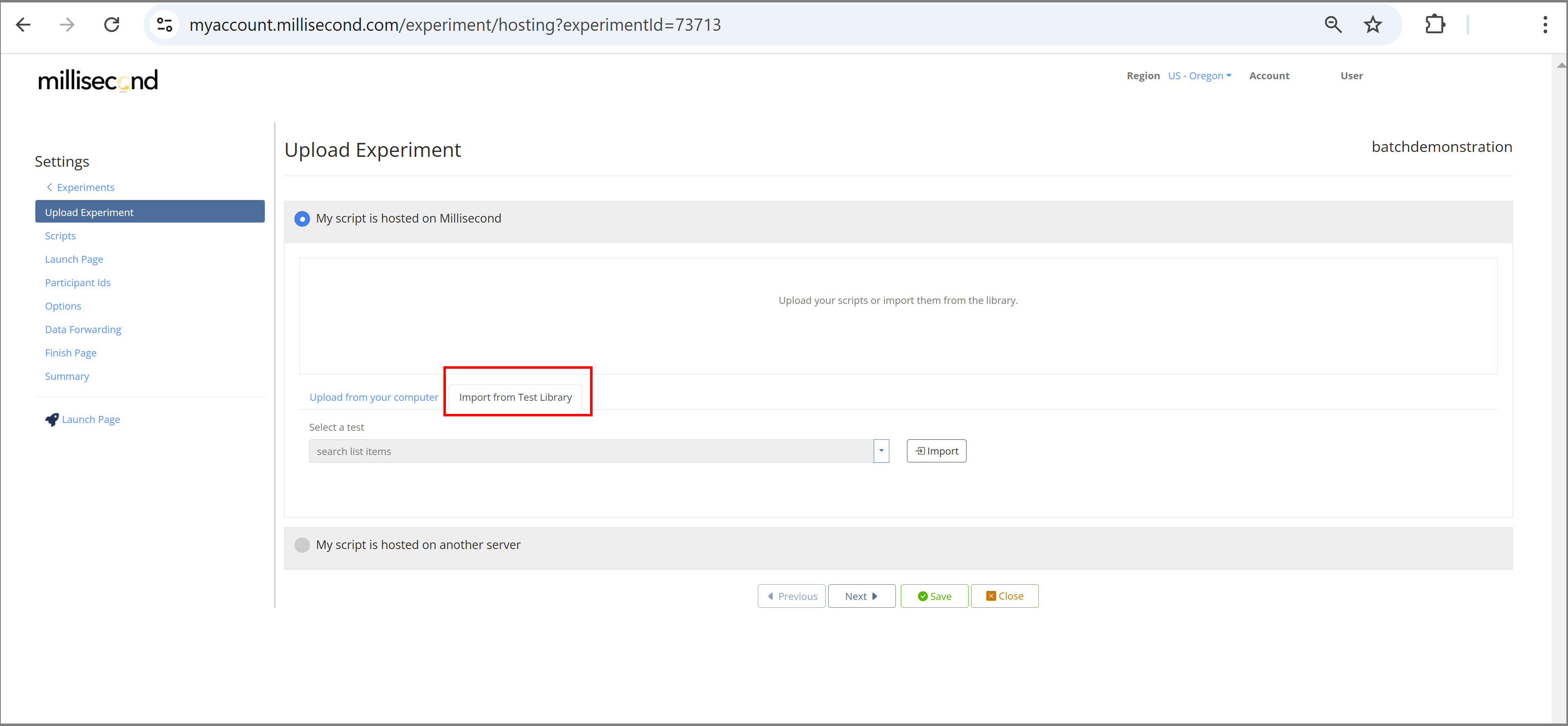
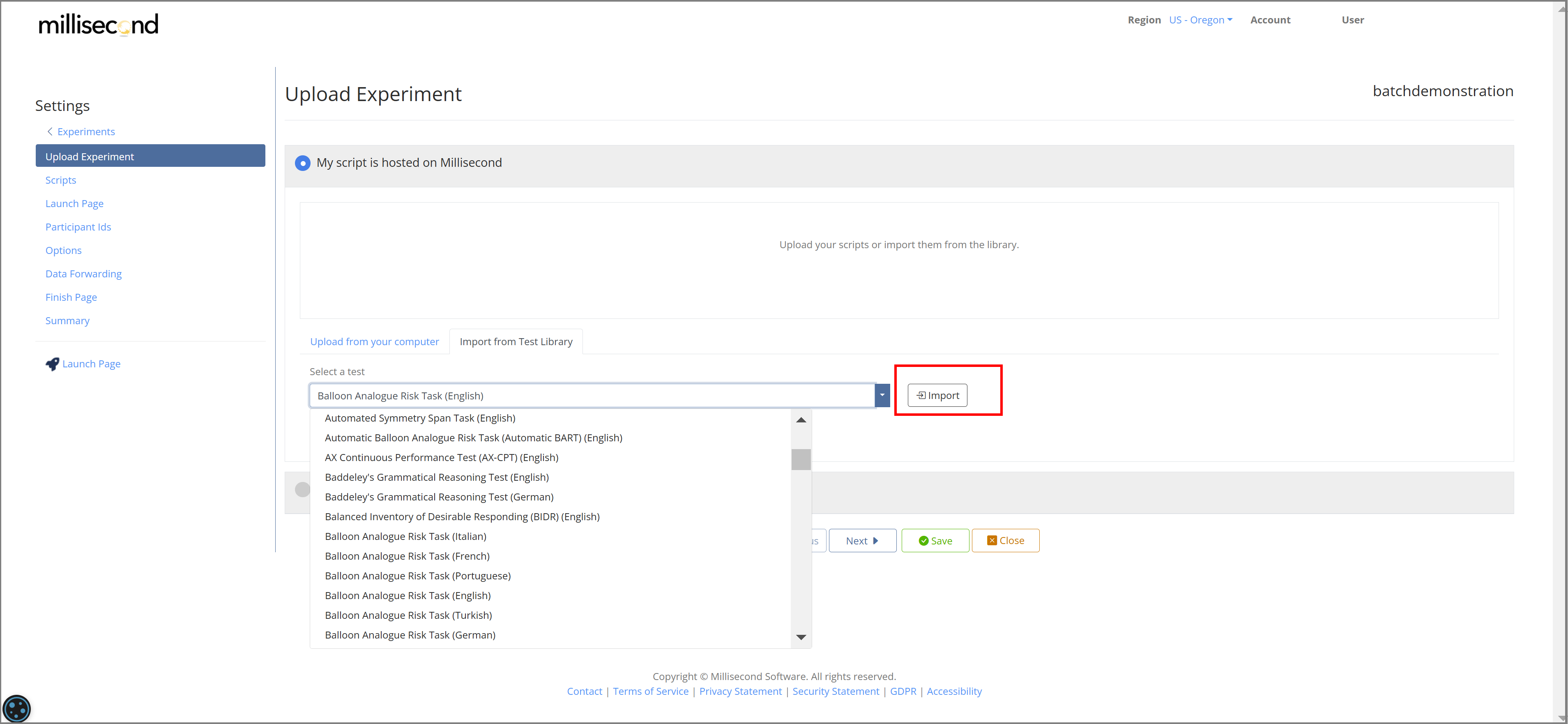
Once you have your project created and the Experiment Editor opens with the 'Upload Experiment' page, click on tab 'Import from Test Library'
Then look for your first test in the dropdown menu.
Once you found it, click on it and then click button 'Import' to
import the test into your Millisecond account:
Repeat for the second test.
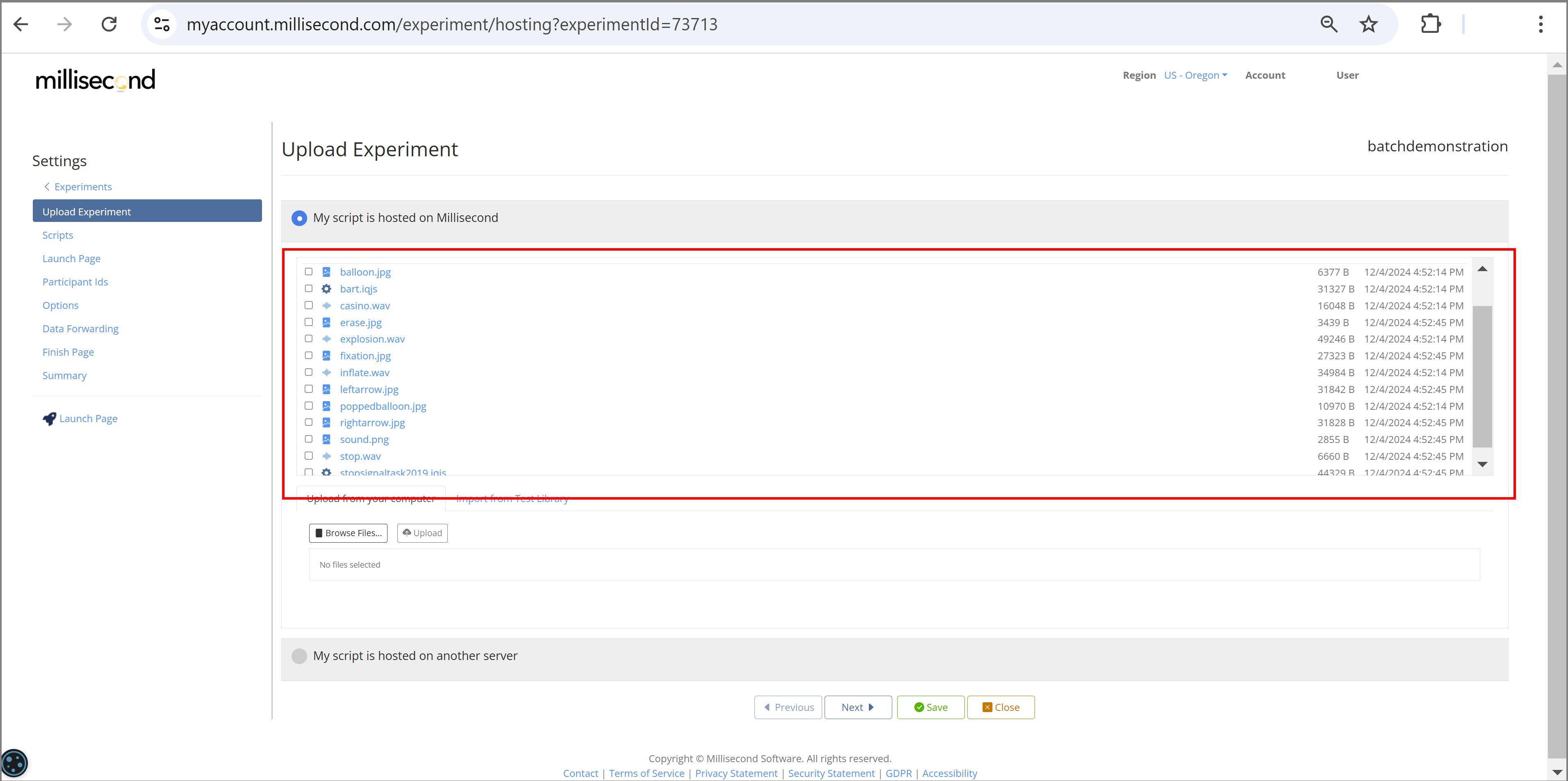
All tests and supporting files should appear in your account:
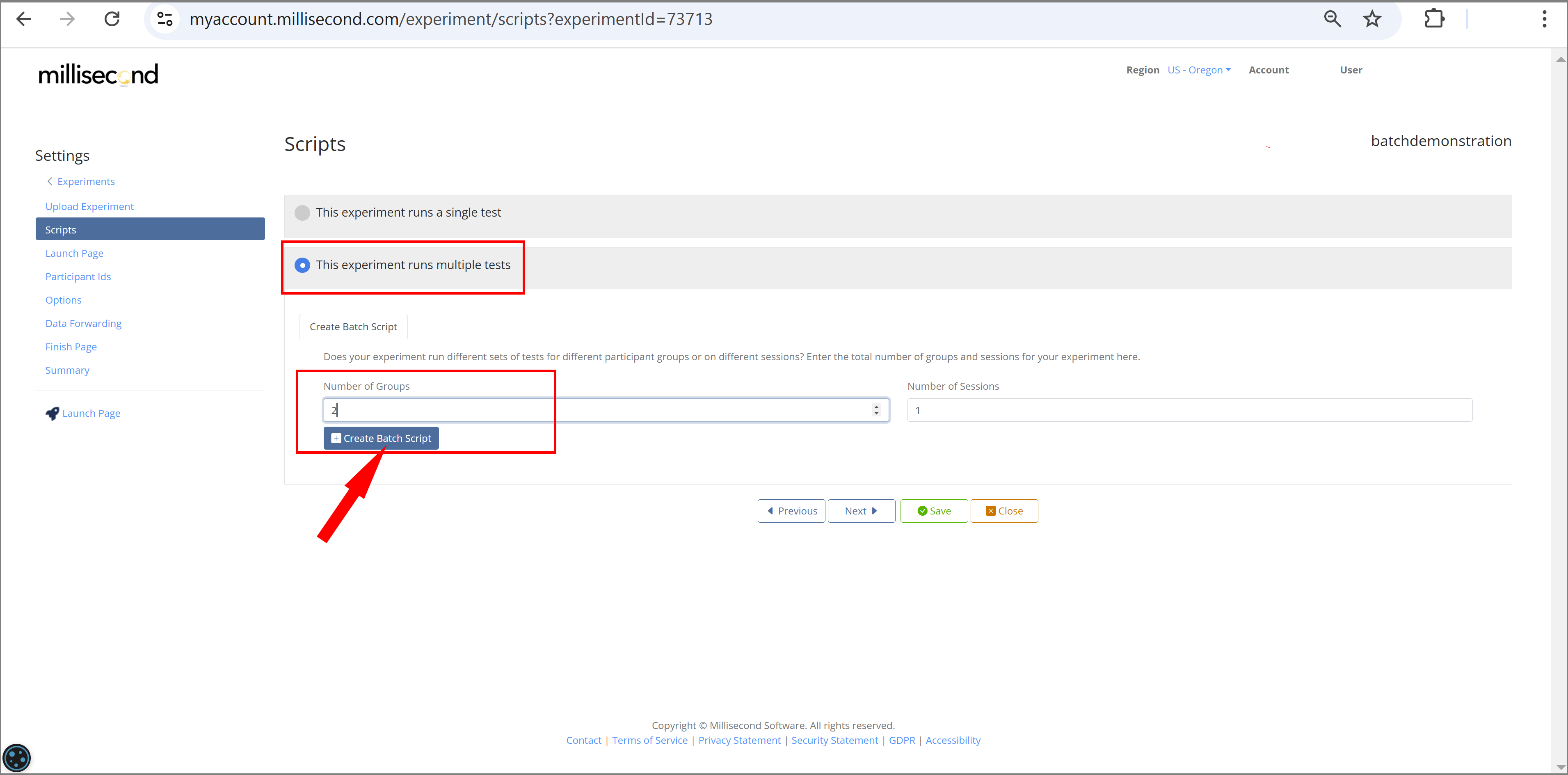
Move on to the 'Scripts' Tab.
On this page:
- Select button 'This experiment runs multiple tests'
- Select how many different groups you would like to run. In this example, we want to counterbalance the order of our two scripts. Thus, we select 2 groups. Note that if we only wanted to run one order, we would select 1 instead.
- Click 'Create Batch Script'
Select the setup of your batch script.
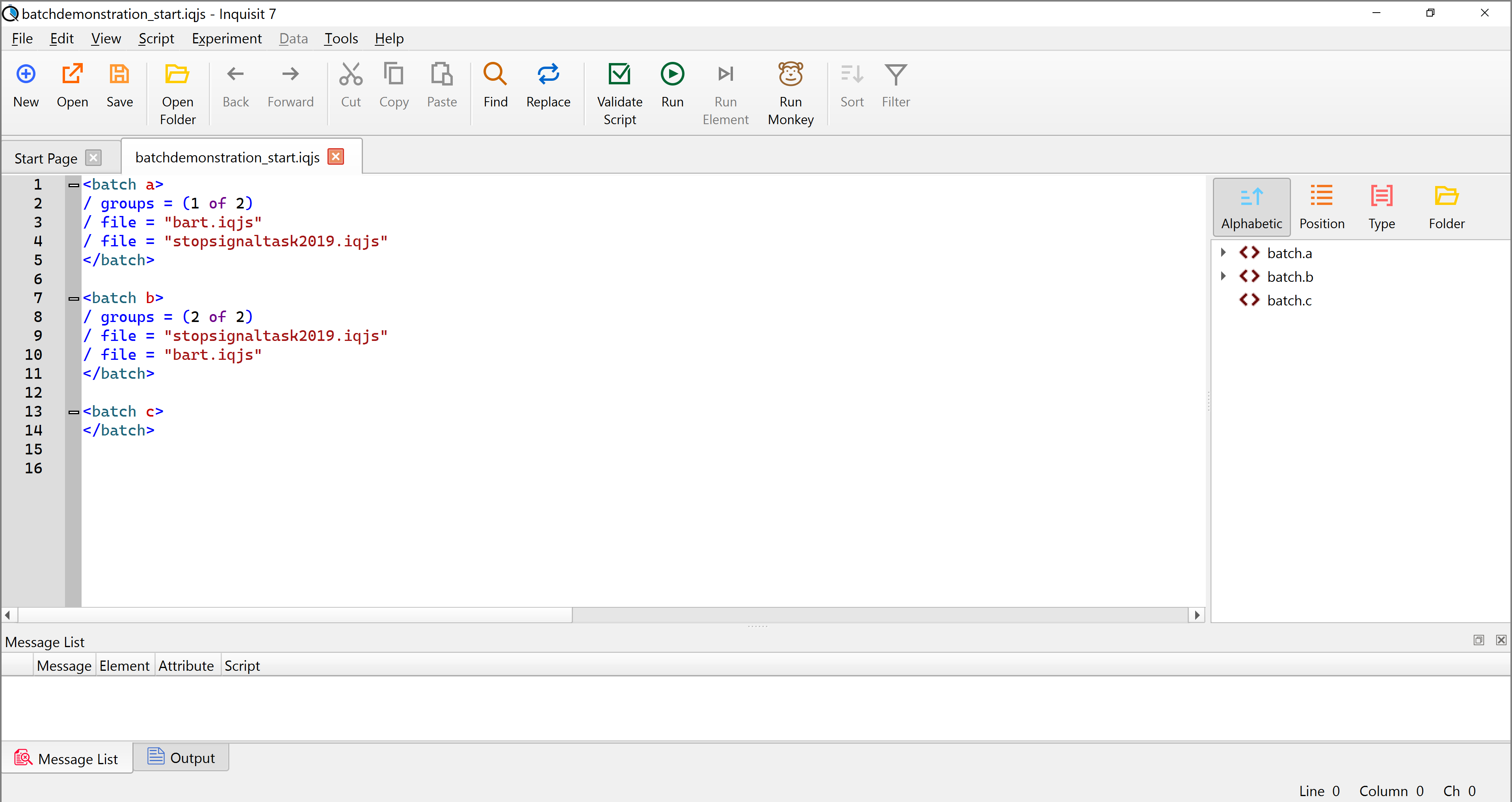
In our example, we want two batches (a/b) that run the two tasks in opposite order. So, for each group we select the two tasks in the order we would like them to run.
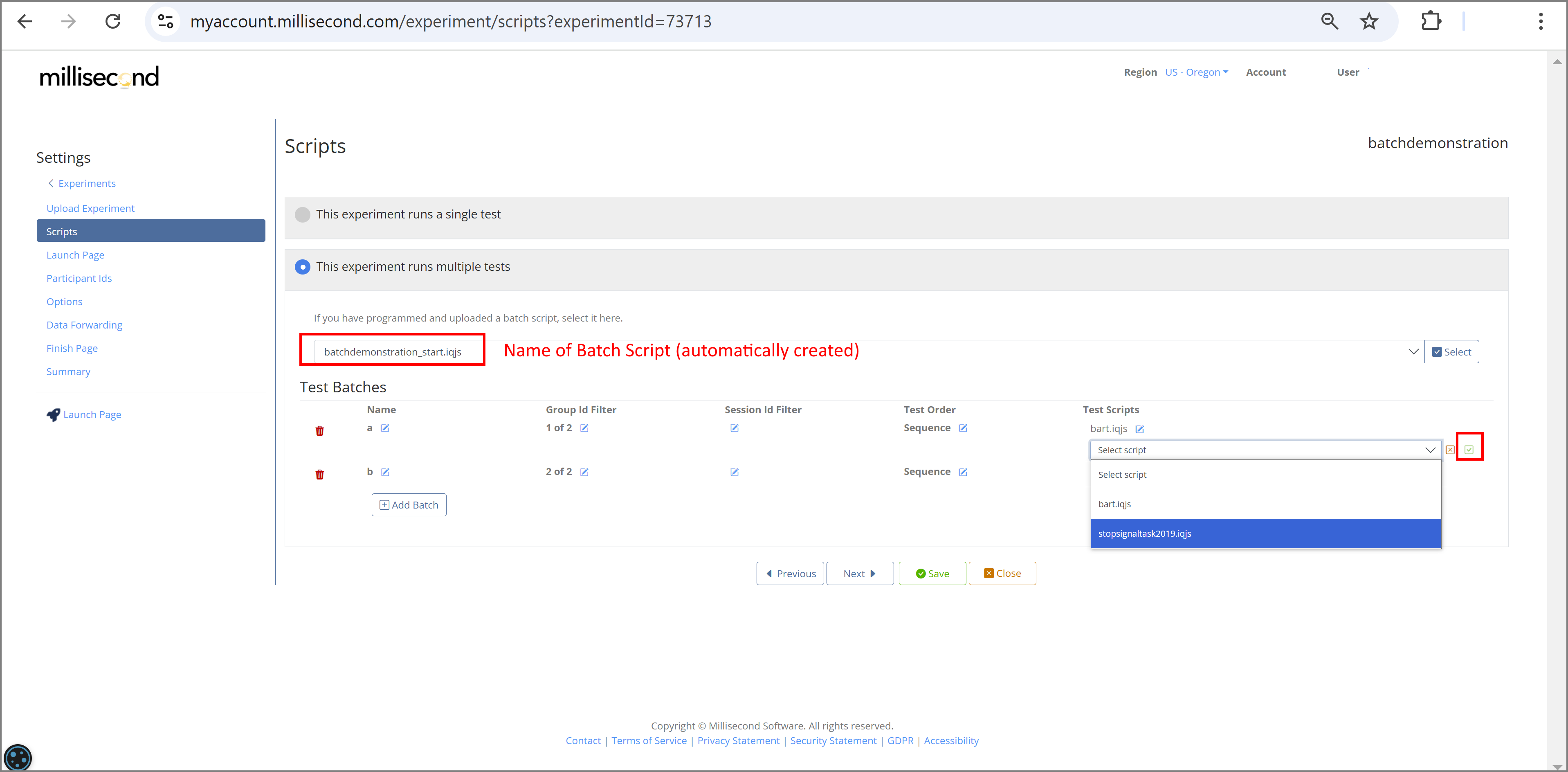
Once you have made your selections, click 'Add Batch' - this will add the created batch script to your other testfiles.
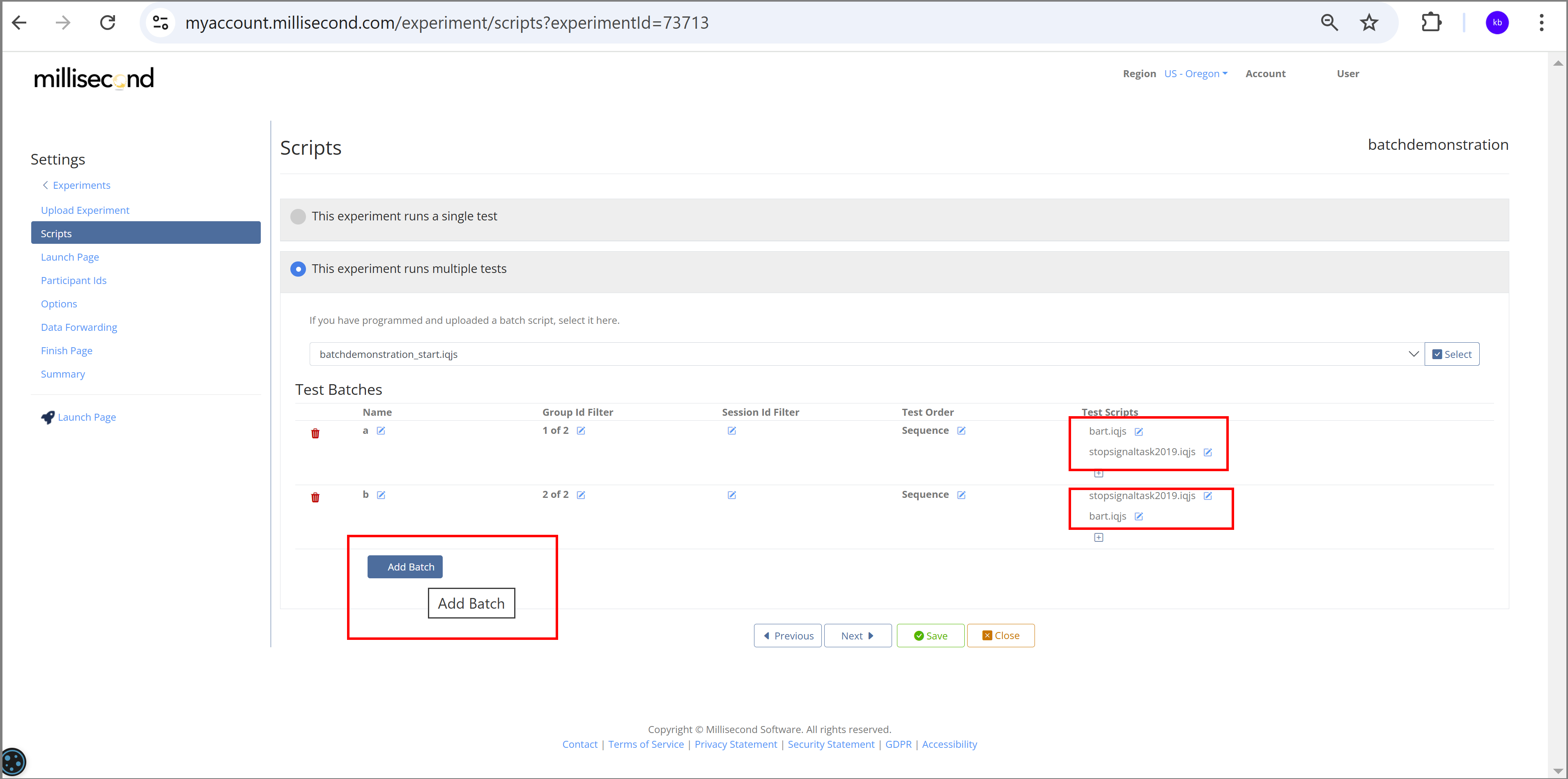
Check that your batch file has indeed been added to your Millisecond account:
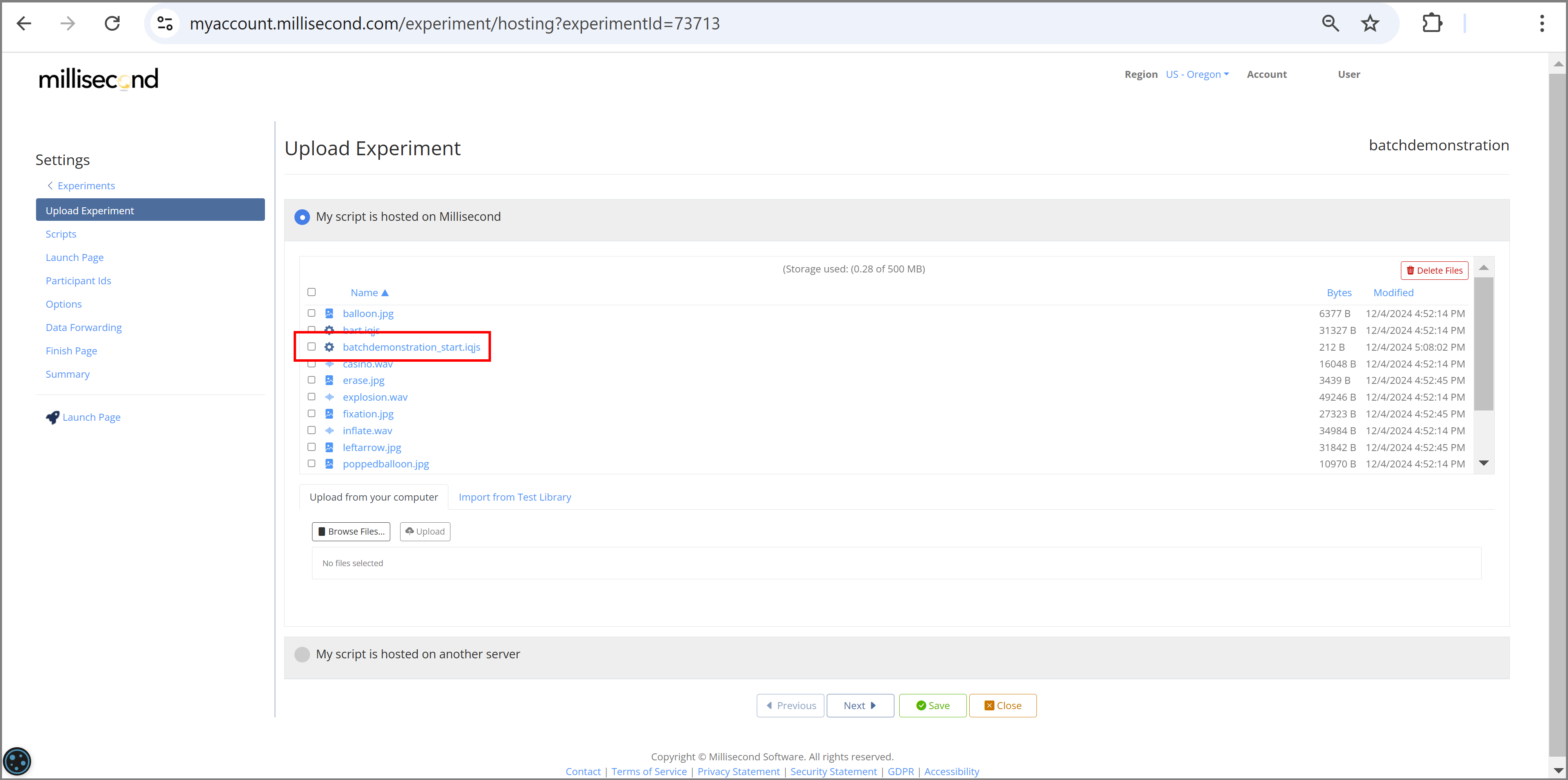
If we downloaded the automatically created batch script, this is how it would look:
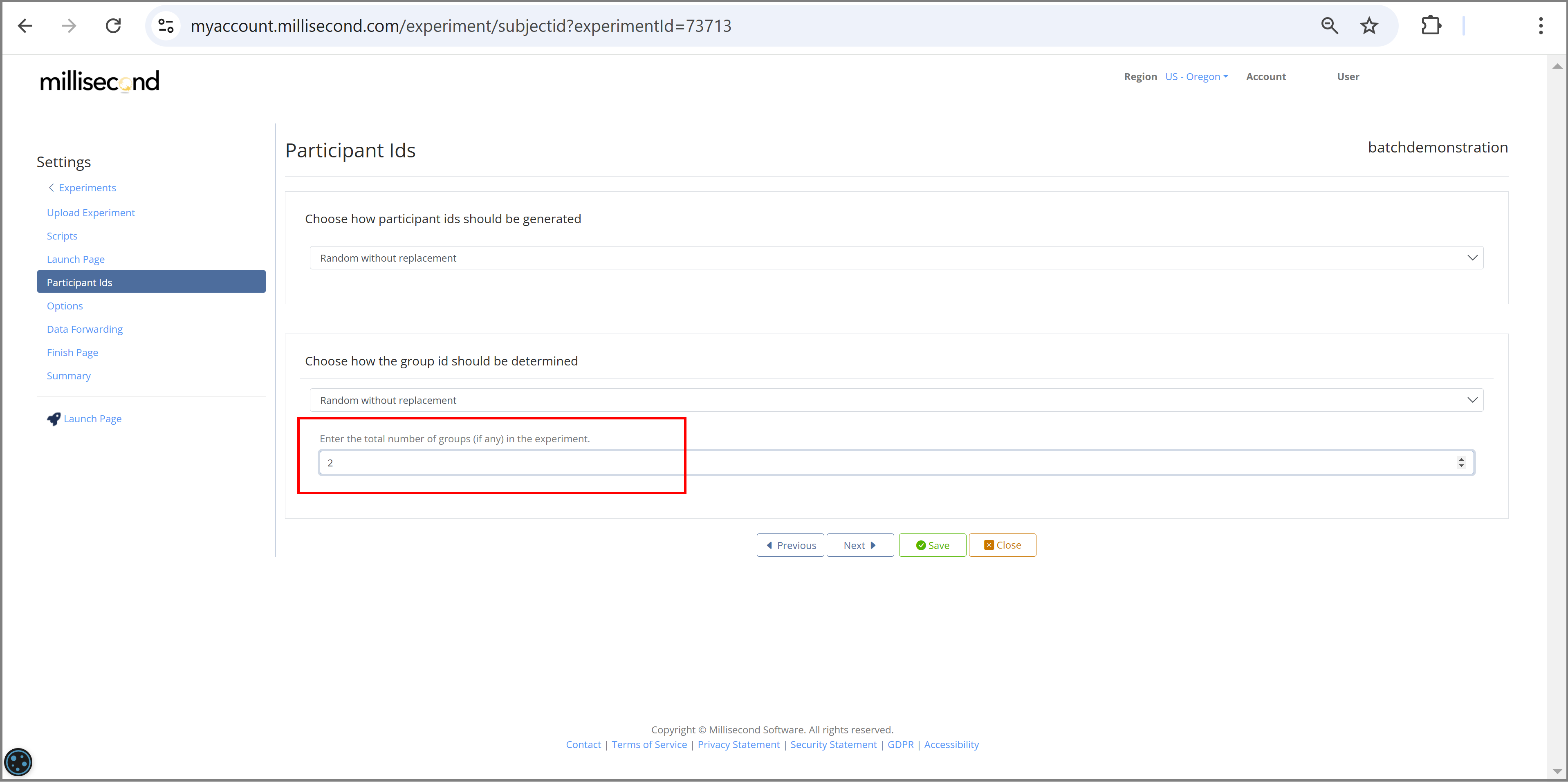
Specify the number of groups in your experiment
Click the 'Participant Ids' tab, and enter 2 for the number of groups (Recall that we want to run 2 groups counterbalancing the task order).
Note that we selected to assign the groupnumbers via selection 'Random without replacement'. There are several other options to choose from.
Save and Close your experiment
Click 'Save' to save your changes, and 'Close' to return to the Experiments page.
Your new experiment should appear in the list. To run your experiment, click the provided Launch Page link.

Launch your experiment
Follow instructions on the Launch page for installing the Inquisit Player. Once the player is installed, you can click the green Start button to start.